

AI chat for shoppers, staff and support
AI & content
AI IntelligenceAI assistance grounded in your connected business data
Ask questions about business data, draft content and review proposed actions. Available tools follow the user's role and enabled modules. Configure your provider, usage limits and approval settings before relying on automated workflows.
Bahagi ng isang modular na platformIncluded free with every planIsang database · isang login · walang paulit-ulit na pag-type
Why it matters
AI only helps when it sees live data and respects who is asking.
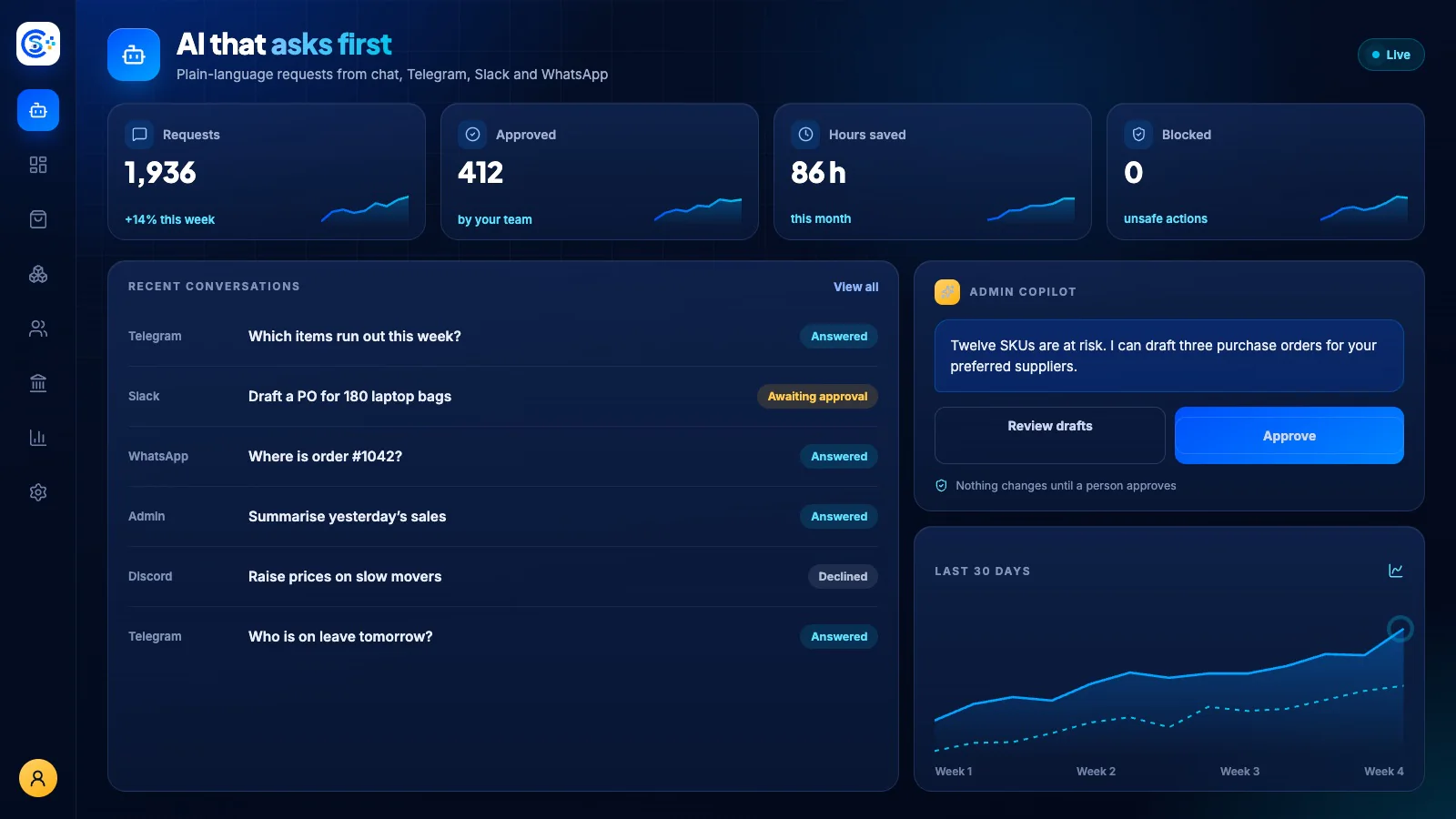
Store Console AI works from your current records, follows each person’s permissions and asks for approval before it changes anything.
Ano ang makukuha mo
Kakayahang AI Intelligence para sa iyong workflow.
Personalized product recommendations
AI helpers for copy, SEO and pricing
Track AI usage and set spending caps
Approve sensitive AI actions first
Fraud and anomaly insights across modules
Paano ito gumagana
AI Intelligence, sunod-sunod.
Connect your AI
Use your own OpenAI, Anthropic or local model keys, with spending caps.
Help shoppers
AI chat and recommendations answer questions and suggest products.
Help the team
Staff get AI help with copy, SEO, pricing and reports, in the admin or their chat app.
Stay in control
Sensitive actions wait for approval, and anomaly insights cover every module.
Sa admin
Tingnan ang AI Intelligence sa admin ng Store Console.
Magsimula sa kailangan mo
Patakbuhin ang AI Intelligence sa sarili mong server.
Magsimula sa module na ito, idagdag ang mga kalapit nito kapag kailangan mo, at panatilihin ang lahat ng record sa sarili mong server.