

Budget planning with revisions and transfers
ERP & business
FinancePlan budgets, approve spend, forecast cash
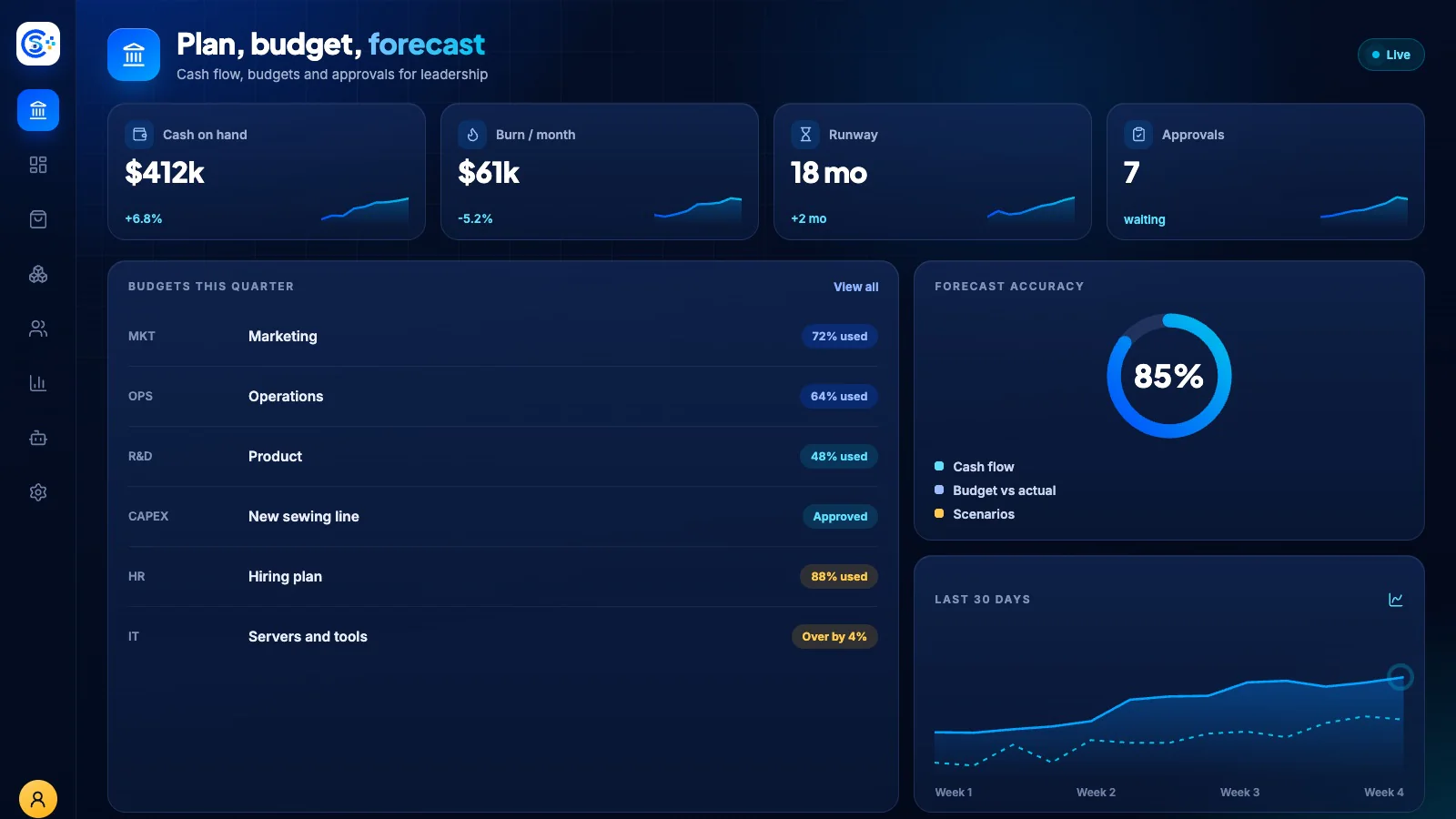
Take control of company spending with budgets, multi-step approvals and cash flow forecasting in one place. Every expense request, payment and capital investment runs through clear approval rules with AI risk scoring so nothing slips through.
Part of one modular platformRun the back office — finance, people and workOne database · one login · no re-typing
Why it matters
The back office slows down when every department keeps its own numbers.
Sales, stock, finance and people share one database here, so an order, a payslip and a purchase order all reach the same books without exports or overnight syncs.
What you get
Finance capabilities for your workflow.
Multi-level approval workflows with delegation
Cash flow forecasting and scenario planning
Scheduled payments and bulk batches
AI risk scoring on every request
Capital expenditure tracking and approvals
How it works
Finance, step by step.
Plan the budget
Build budgets with revisions and transfers between lines.
Approve the spend
Spending requests follow multi-level approvals, with delegation when someone is away.
Score the risk
AI rates the risk of each request and records why it was flagged.
Forecast cash
Scheduled payments and scenarios feed a cash-flow forecast, including capital spending.
In the admin
See Finance in the Store Console admin.
Start with what you need
Run Finance on your own server.
Start with this module, add the ones around it when you need them, and keep every record on your own server.